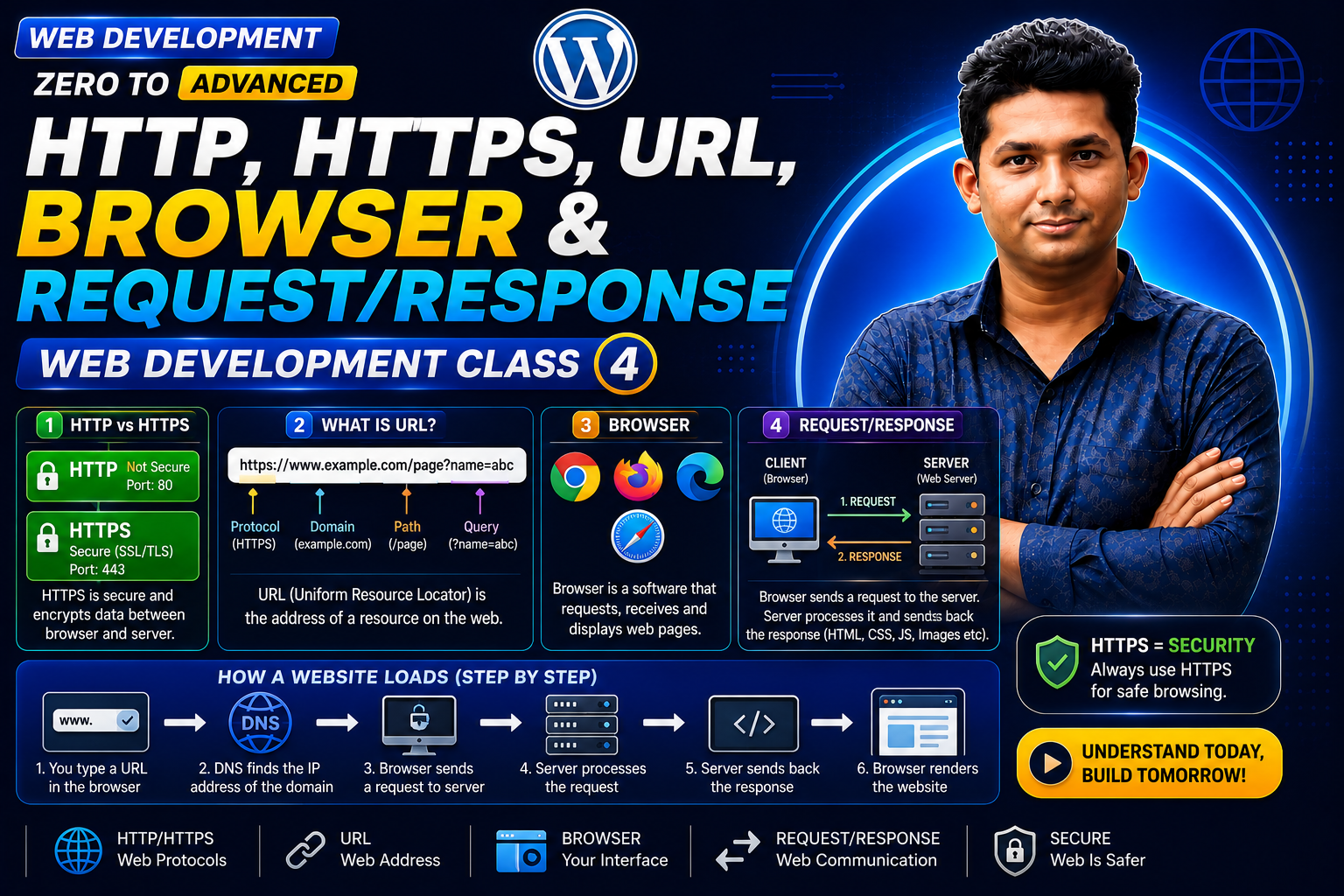
Web Development Zero to Advanced — Class 04 of 120
Every time you open a website, click a link, submit a form, or request data from a web application, communication takes place between a client and a server.
In the previous classes, you learned about clients, servers, domains, hosting, IP addresses, and DNS. Now it is time to understand how browsers and servers actually communicate.
The basic flow is:
Browser → HTTP/HTTPS Request → Server → HTTP/HTTPS Response → Browser
Three important concepts are:
URL = Where to go
HTTP/HTTPS = How web communication happens
Request & Response = How information is exchanged
What Is HTTP?
HTTP stands for Hypertext Transfer Protocol.
HTTP is a protocol used for communication between web clients and servers.
A browser can send an HTTP request to a server, and the server can send an HTTP response back.
Basic flow:
Client → HTTP Request → Server
Server → HTTP Response → Client
Why Do We Need HTTP?
Clients and servers need a common set of rules to communicate.
HTTP defines how web requests and responses should be structured.
It helps determine:
• What resource the client wants
• What action should be performed
• What information is being sent
• Whether the request succeeded
• What type of content is being returned
What Is HTTPS?
HTTPS stands for Hypertext Transfer Protocol Secure.
HTTPS is HTTP communication protected using TLS.
TLS stands for Transport Layer Security.
A simple way to understand it is:
HTTP + TLS = HTTPS
Example:
uses HTTP.
uses HTTPS.
HTTP vs HTTPS
HTTP:
• Uses Hypertext Transfer Protocol
• Does not protect HTTP traffic with TLS
• Common default port is 80
• Starts with http://
HTTPS:
• Uses HTTP over TLS
• Encrypts data in transit
• Common default port is 443
• Starts with https://
Why Is HTTPS Important?
HTTPS helps protect communication between the browser and server.
It provides three important security properties:
Confidentiality
Data is encrypted while travelling between the client and server.
Integrity
TLS helps detect unauthorized modification of transmitted data.
Authentication
Certificates help browsers verify the identity of the server they are communicating with.
HTTPS is especially important for:
• Login pages
• E-commerce websites
• Contact forms
• User accounts
• Admin panels
• API communication
• Websites handling sensitive information
What Is a URL?
URL stands for Uniform Resource Locator.
A URL identifies the location of a resource on the Web.
Example:
A URL can contain several parts.
Parts of a URL
Consider:
Scheme
https
Hostname
Path
/products/laptop
Query String
?id=25
Fragment
#reviews
So a simplified URL structure is:
Scheme + Host + Path + Query + Fragment
What Is an HTTP Request?
An HTTP request is a message sent from a client to a server.
A request can contain:
• HTTP method
• Target resource
• Headers
• Optional body
Example:
GET /products HTTP/1.1
Host: example.com
HTTP Request Methods
GET = Retrieve data
POST = Submit or create data
PUT = Replace data
PATCH = Partially update data
DELETE = Remove data
What Is an HTTP Response?
An HTTP response is the server’s reply to an HTTP request.
Example:
HTTP/1.1 200 OK
Content-Type: text/html
Important HTTP Status Codes
200 = OK
201 = Created
301 = Moved Permanently
302 = Found
400 = Bad Request
401 = Unauthorized
403 = Forbidden
404 = Not Found
500 = Internal Server Error
503 = Service Unavailable
Complete Request-Response Flow
URL → DNS → Server → HTTPS Request → Response → Browser → Web Page
Practical Example: Product Page
Suppose a customer opens:
The browser may request:
GET /products/25
The server receives the request, processes it, retrieves the required information, and sends a response.
The browser then displays the product page.
Common Beginner Mistakes
• Thinking HTTP and HTTPS are completely different systems.
• Thinking HTTPS automatically means a website is trustworthy.
• Confusing a domain with a complete URL.
• Thinking every successful request always returns 200.
• Thinking 404 means the Internet is down.
• Ignoring HTTP status codes when debugging.
New & Difficult Words
HTTP = Hypertext Transfer Protocol
HTTPS = Hypertext Transfer Protocol Secure
TLS = Transport Layer Security
URL = Uniform Resource Locator
Protocol = Rules used for communication
Request = Message sent from client to server
Response = Server’s reply
Method = HTTP action such as GET or POST
Header = Additional metadata in an HTTP message
Body = Data inside a request or response
Status Code = Numeric result of an HTTP request
Important Notes
HTTP = Web communication protocol
HTTPS = HTTP protected with TLS
URL = Resource address
Request = Client → Server
Response = Server → Client
GET → Retrieve
POST → Submit/Create
PUT → Replace
PATCH → Partially Update
DELETE → Remove
2xx → Success
3xx → Redirection
4xx → Client Error
5xx → Server Error
Practice Questions
- What does HTTP stand for?
- What does HTTPS stand for?
- What is the difference between HTTP and HTTPS?
- What does TLS stand for?
- What is a URL?
- What is an HTTP request?
- What is an HTTP response?
- What does GET do?
- What does POST do?
- What does 404 Not Found mean?
Assignment
Take this URL:
Identify:
- Scheme
- Hostname
- Path
- Query string
- Query parameter
- Fragment
Then write this flow:
Browser → HTTPS Request → Server → HTTPS Response → Browser
Class Summary
In Class 04, you learned how web clients and servers communicate using HTTP and HTTPS.
The most important flow is:
Browser → HTTP/HTTPS Request → Server → HTTP/HTTPS Response → Browser
You also learned:
HTTP → Web communication protocol
HTTPS → HTTP protected with TLS
URL → Address of a resource
GET → Retrieve
POST → Submit/Create
2xx → Success
3xx → Redirection
4xx → Client Error
5xx → Server Error
Next Class:
Class 05 — Frontend, Backend, Full Stack, Database & API