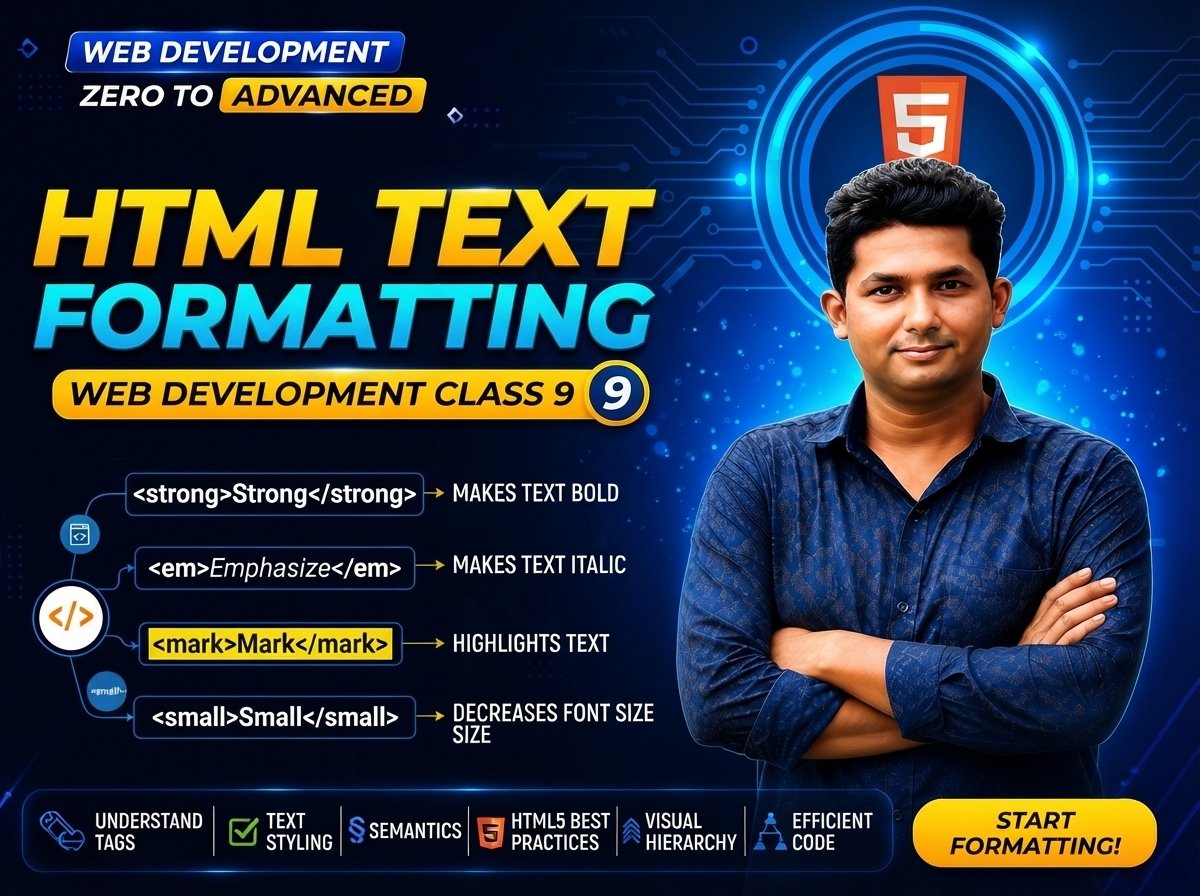
Web Development Zero to Advanced — Class 09 of 120
HTML Text Formatting Tags
HTML provides several elements that help us give text additional meaning.
For example, we may want to show that some text is:
• Important
• Emphasized
• Highlighted
• Deleted
• Inserted
• Smaller than surrounding text
• Subscript
• Superscript
In this class, you will learn the most important HTML text-formatting elements and understand when each one should be used.
The main elements are:
<strong>
<b>
<em>
<i>
<mark>
<small>
<del>
<ins>
<sub>
<sup>
The important point is that HTML should describe the meaning of content, while CSS should normally control its visual appearance.
What Is HTML Text Formatting?
HTML text formatting means using HTML elements to represent the meaning or role of specific text.
For example:
<p>This is <strong>important</strong>.</p>
Here, <strong> tells the browser and other software that the word “important” has strong importance.
Another example:
<p>Please <em>practice</em> every day.</p>
Here, <em> represents stress emphasis.
The <strong> Element
The <strong> element represents strong importance, seriousness, or urgency.
Example:
<p><strong>Warning:</strong> Do not share your password.</p>
Expected output:
Warning: Do not share your password.
Browsers normally display <strong> content in bold, but its semantic meaning is more important than its appearance.
When to Use <strong>
Use <strong> when the content has real importance.
Examples:
<p><strong>Important:</strong> Save your work before closing the browser.</p>
<p><strong>Only 2 products are left in stock.</strong></p>
<p><strong>Never share your account password.</strong></p>
The <b> Element
The <b> element can draw attention to text without indicating strong importance.
Example:
<p>Product Name: <b>Gaming Laptop</b></p>
Browsers normally display <b> text in bold.
However:
<b> = Draw attention
<strong> = Strong importance
<b> vs <strong>
Consider:
<p>Brand: <b>ABC Computer</b></p>

<p><strong>Warning:</strong> This product is currently unavailable.</p>
The product brand is visually brought to attention.
The warning has strong semantic importance.
Choose the element based on meaning, not only appearance.
The <em> Element
The <em> element represents stress emphasis.
Example:
<p>You should <em>practice</em> HTML every day.</p>
Browsers normally display <em> content in italic style.
But again, the meaning is more important than the default style.
Another <em> Example
<p>You must <em>write the code yourself</em> to learn properly.</p>
The emphasized text receives additional stress in the sentence.
The <i> Element
The <i> element represents text that is offset from normal prose for reasons such as:
• Technical terminology
• Alternate voice
• Idiomatic text
• Foreign-language terms in some contexts
• Taxonomic or conventional notation
Example:
<p>The term <i>responsive design</i> is important in web development.</p>
Browsers normally display <i> text in italic style.
<i> vs <em>
<i> and <em> may look similar by default, but they have different meanings.
<i>:
Text offset from normal prose.
<em>:
Text that has stress emphasis.
Example:
<p>The term <i>frontend</i> refers to the user-facing part of an application.</p>

<p>You should <em>practice</em> frontend development regularly.</p>
The <mark> Element
The <mark> element represents text that is marked or highlighted for reference.
Example:
<p>Today we are learning <mark>HTML Text Formatting</mark>.</p>
Browsers commonly display marked text with a highlighted background.
Practical <mark> Example
<p>
Our <mark>special offer</mark> ends tomorrow.
</p>
Another example:
<p>
Remember: <mark>HTML provides structure and meaning.</mark>
</p>
The <small> Element
The <small> element represents side comments or small-print information.
Example:
<p>Product Price: $500</p>

<p><small>Terms and conditions apply.</small></p>
It is useful for information such as:
• Legal notes
• Copyright information
• Disclaimers
• Small-print conditions
The <del> Element
The <del> element represents content that has been deleted from a document.
Example:
<p>Old Price: <del>$900</del></p>
Browsers normally show deleted content with a line through it.
Practical <del> Example
For an offer:
<p>
Regular Price: <del>$1000</del>
</p>
This can indicate that the old value has been removed or replaced.
The <ins> Element
The <ins> element represents content that has been inserted into a document.
Example:
<p>New Price: <ins>$850</ins></p>
Browsers commonly underline inserted content by default.
Using <del> and <ins> Together
Example:
<p>
Price:
<del>$1000</del>
<ins>$850</ins>
</p>
Conceptually:
Old value → Deleted
New value → Inserted
The <sub> Element
The <sub> element represents subscript text.
Subscript content appears below the normal text baseline.
Example:
<p>H<sub>2</sub>O</p>
Expected output:
H₂O
Another example:
<p>CO<sub>2</sub></p>
Where Is Subscript Used?
Subscript is commonly useful for:
• Chemical formulas
• Mathematical notation
• Scientific notation
Example:
<p>H<sub>2</sub>SO<sub>4</sub></p>
The <sup> Element
The <sup> element represents superscript text.
Superscript appears above the normal text baseline.
Example:
<p>2<sup>3</sup> = 8</p>
Expected output:
2³ = 8
Where Is Superscript Used?
Superscript can be used for:
• Mathematical exponents
• Ordinal notation in some contexts
• Footnote references
• Scientific notation
Example:
<p>x<sup>2</sup> + y<sup>2</sup></p>
Complete Text Formatting Example
Create:
index.html
Then write:
<!DOCTYPE html>
<html lang="en">

<head>
    <meta charset="UTF-8">
    <meta name="viewport" content="width=device-width, initial-scale=1.0">

    <title>HTML Text Formatting</title>
</head>

<body>

    <h1>HTML Text Formatting</h1>

    <p>
        This is <strong>important text</strong>.
    </p>

    <p>
        This text contains a <b>product name</b>.
    </p>

    <p>
        You should <em>practice</em> HTML every day.
    </p>

    <p>
        The term <i>frontend</i> is commonly used in web development.
    </p>

    <p>
        Remember to learn <mark>HTML, CSS and JavaScript</mark>.
    </p>

    <p>
        <small>Terms and conditions apply.</small>
    </p>

    <p>
        Old Price: <del>$1000</del>
    </p>

    <p>
        New Price: <ins>$850</ins>
    </p>

    <p>
        Water Formula: H<sub>2</sub>O
    </p>

    <p>
        Mathematics: 2<sup>3</sup> = 8
    </p>

</body>

</html>
Expected Output
The browser will display several types of formatted text.
You should notice:
• Strong text normally appears bold
• Bold text normally appears bold
• Emphasized text normally appears italic
• Italic text normally appears italic
• Marked text normally appears highlighted
• Small text appears smaller
• Deleted text appears crossed out
• Inserted text commonly appears underlined
• Subscript appears below the normal baseline
• Superscript appears above the normal baseline
Practical Example: Product Offer
Suppose you are building an e-commerce product page.
You can write:
<h1>Gaming Laptop</h1>

<p>
<strong>Special Offer</strong>
</p>

<p>
Regular Price:
<del>$1200</del>
</p>

<p>
Offer Price:
<ins>$999</ins>
</p>

<p>
<mark>Only 5 units left in stock!</mark>
</p>

<p>
<small>Offer valid while stock lasts.</small>
</p>
This example uses semantic HTML elements to represent different meanings.
Practical Example: Educational Content
<h1>Science Lesson</h1>

<p>
The chemical formula of water is H<sub>2</sub>O.
</p>

<p>
Einstein's famous equation is E = mc<sup>2</sup>.
</p>

<p>
<strong>Important:</strong> Learn the meaning of each formula.
</p>
HTML Formatting vs CSS Styling
This is an important concept.
HTML should represent:
Structure + Meaning
CSS should control:
Appearance + Design
For example:
<strong>Important</strong>
means the content is important.
CSS can then change how it appears:
strong {
    color: red;
}
Do not use HTML elements only because you like their default appearance.
Example of Wrong Thinking
Wrong idea:
“I want italic text, so I will always use <em>.”
But <em> has semantic meaning.
If you only want a visual italic style, CSS may be more appropriate.
Example:
<span class="italic-text">Example Text</span>
Then:
.italic-text {
    font-style: italic;
}
Semantic HTML
Semantic means that an element communicates meaning.
For example:
<strong> → Strong importance
<em> → Stress emphasis
<del> → Deleted content
<ins> → Inserted content
<mark> → Marked/highlighted content
Using elements according to their meaning helps create better structured HTML.
Combining Formatting Elements
Elements can sometimes be nested when the meaning requires it.
Example:
<p>
<strong>
    <mark>Important offer ends today.</mark>
</strong>
</p>
Here, the text is both strongly important and marked for reference.
Another Nested Example
<p>
You should <strong><em>practice every day</em></strong>.
</p>
Make sure the elements are properly nested.
Correct Nesting
Correct:
<strong><em>Important Text</em></strong>
The <em> element is fully contained inside <strong>.
Common Beginner Mistakes
1. Using Formatting Elements Only for Design
Do not choose <strong>, <em>, or headings only because of how they look.
Use them according to their semantic meaning.
2. Thinking <b> and <strong> Are Exactly the Same
They may look similar, but their semantic purposes are different.
3. Thinking <i> and <em> Are Exactly the Same
They may both appear italic, but <em> represents stress emphasis.
4. Using <mark> Everywhere
Highlight only information that genuinely needs to be marked or referenced.
5. Incorrect Nesting
Avoid malformed structures.
Correct example:
<strong>
    <em>Important</em>
</strong>
6. Using <del> Only to Draw a Line Through Text
<del> semantically represents deleted content.
If you only need a decorative line-through effect, CSS may be more appropriate.
7. Using <small> for Every Small Font
<small> represents side comments or small-print information.
CSS should normally control general font size.
New & Difficult Words
HTML = HyperText Markup Language
Formatting = Representing or changing how text is structured or presented
Semantic = Related to meaning
Strong = Strong importance, seriousness, or urgency
Emphasis = Stress placed on part of a sentence
Highlight = Marking content for attention or reference
Deleted Content = Content marked as removed
Inserted Content = Content marked as added
Subscript = Text displayed below the normal baseline
Superscript = Text displayed above the normal baseline
Element = Structural unit of HTML
Nesting = Placing one HTML element inside another
Baseline = The imaginary line on which normal text sits
Important Notes
Remember:
<strong> = Strong importance
<b> = Draw attention
<em> = Stress emphasis
<i> = Alternate voice or offset text
<mark> = Mark/highlight text
<small> = Small-print information
<del> = Deleted content
<ins> = Inserted content
<sub> = Subscript
<sup> = Superscript
Most importantly:
HTML = Structure and Meaning
CSS = Visual Presentation
Practice Questions
- What does
<strong>represent? - What is the difference between
<strong>and<b>? - What does
<em>represent? - What is the difference between
<em>and<i>? - What does
<mark>do? - What is
<small>used for? - What does
<del>represent? - What does
<ins>represent? - What is subscript?
- What is superscript?
- Which element would you use for H₂O?
- Which element would you use for x²?
- What does semantic HTML mean?
- Why should CSS be used for purely visual styling?
Assignment
Create a folder named:
class-09
Inside it create:
index.html
Create a product offer page containing:
- Product name
- Product description
- Important message using
<strong> - Product terminology using
<i> - Emphasized sentence using
<em> - Special offer using
<mark> - Old price using
<del> - New price using
<ins> - Small disclaimer using
<small> - One subscript example
- One superscript example
Then open the file in your browser and compare the output of each formatting element.
Quiz
- Which element represents strong importance?
Answer: <strong>.
- Which element draws attention without adding strong importance?
Answer: <b>.
- Which element represents stress emphasis?
Answer: <em>.
- Which element can represent text offset from normal prose?
Answer: <i>.
- Which element marks or highlights text?
Answer: <mark>.
- Which element represents small-print information?
Answer: <small>.
- Which element represents deleted content?
Answer: <del>.
- Which element represents inserted content?
Answer: <ins>.
- Which element creates subscript text?
Answer: <sub>.
- Which element creates superscript text?
Answer: <sup>.
Interview Questions
Q: What is HTML text formatting?
Answer: HTML text formatting uses elements to represent the meaning or role of text, such as strong importance, emphasis, inserted content, deleted content, subscript, and superscript.
Q: What is the difference between <strong> and <b>?
Answer: <strong> represents strong importance, while <b> draws attention to text without giving it the same semantic importance.
Q: What is the difference between <em> and <i>?
Answer: <em> represents stress emphasis, while <i> represents text offset from normal prose for reasons such as terminology or alternate voice.
Q: What is the purpose of <del>?
Answer: <del> represents content that has been deleted from the document.
Q: What is the purpose of <ins>?
Answer: <ins> represents content that has been inserted into the document.
Q: What are <sub> and <sup> used for?
Answer: <sub> creates subscript content and <sup> creates superscript content. They are commonly useful in mathematical and scientific notation.
Class Summary
In Class 09, you learned the main HTML text-formatting elements.
You learned:
<strong> → Strong Importance
<b> → Attention
<em> → Stress Emphasis
<i> → Alternate Voice / Offset Text
<mark> → Highlighted Content
<small> → Small-Print Information
<del> → Deleted Content
<ins> → Inserted Content
<sub> → Subscript
<sup> → Superscript
The most important concept is:
HTML should describe the meaning and structure of content.
CSS should normally control its appearance.
Next Class:
Class 10 — Links & Anchor Tags