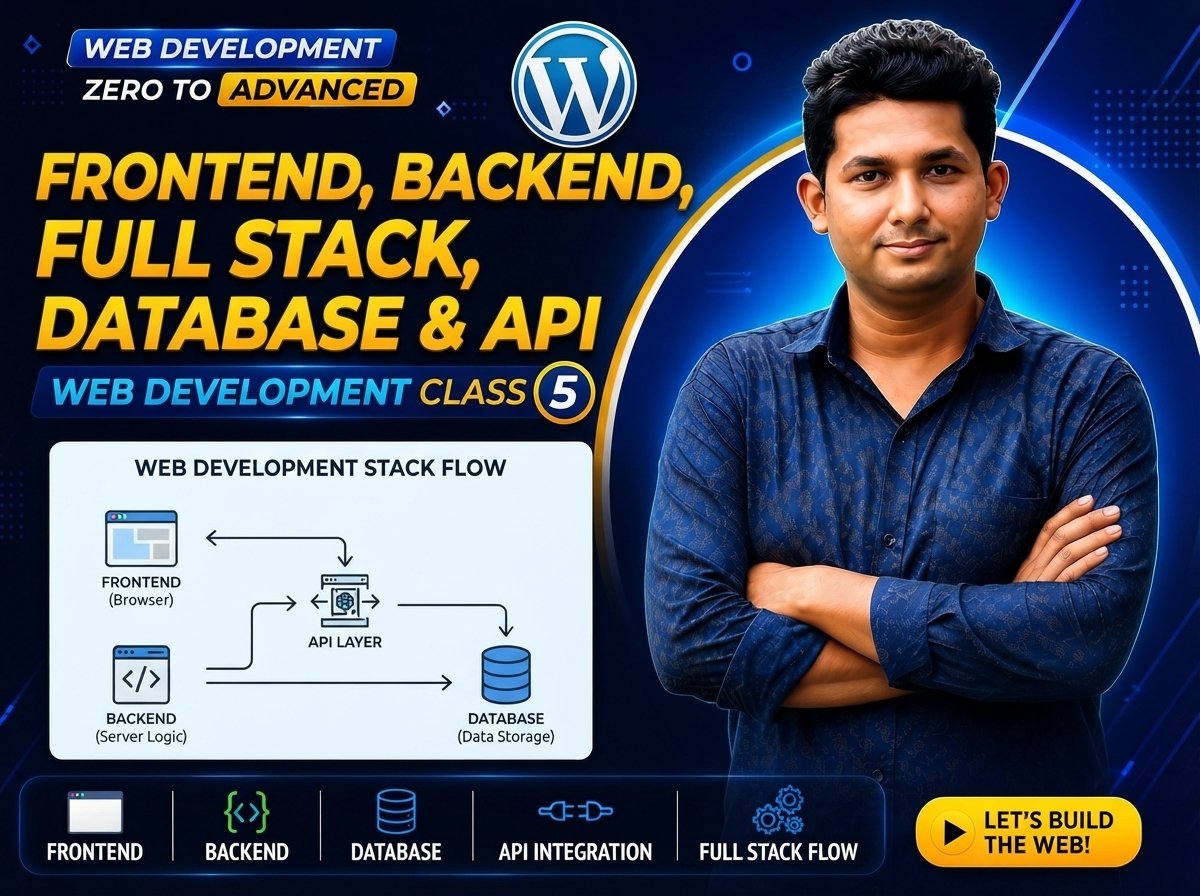
Web Development Zero to Advanced — Class 05 of 120
Frontend, Backend, Full Stack, Database & API
Modern websites and web applications are made of different parts that work together.
When you visit an online shop, for example, you can see product images, buttons, menus, forms, and text. But behind those visible elements, a server may be processing requests, retrieving information from a database, checking user accounts, and communicating through APIs.
To understand modern web development, you should know five important concepts:
Frontend
Backend
Full Stack
Database
API
A simple application flow can look like this:
User → Frontend → API → Backend → Database
Then the result returns:
Database → Backend → API → Frontend → User
What Is Frontend?
The frontend is the part of a website or web application that users directly see and interact with.
Examples include:
• Navigation menus
• Buttons
• Text
• Images
• Forms
• Product cards
• Search boxes
• Login pages
• Dashboards
• Animations
The frontend runs primarily in the user’s browser.
Main Frontend Technologies
Three core technologies are commonly used in frontend web development:
HTML
CSS
JavaScript
HTML
HTML stands for HyperText Markup Language.
HTML provides the structure and meaning of web content.
Example:
CSS
CSS stands for Cascading Style Sheets.
CSS controls the visual presentation of a website.
CSS can control:
• Colors
• Fonts
• Spacing
• Layout
• Borders
• Backgrounds
• Responsive design
Example:
h1 {
color: blue;
font-size: 32px;
}
JavaScript
JavaScript is a programming language commonly used to add logic, behavior, and interactivity to web pages.
JavaScript can be used for:
• Interactive menus
• Form validation
• Popups
• Dynamic content
• API requests
• Interactive dashboards
• User-interface behavior
Example:
alert(“Welcome to my website!”);
Easy Way to Remember Frontend
HTML = Structure
CSS = Presentation
JavaScript = Behavior and Interactivity
What Does a Frontend Developer Do?
A frontend developer builds the user-facing parts of websites and web applications.
Typical responsibilities include:
• Creating page layouts
• Building navigation systems
• Creating forms
• Making websites responsive
• Connecting frontend interfaces to APIs
• Improving accessibility
• Improving performance
• Testing browser compatibility
• Creating interactive interfaces
What Is Backend?
The backend is the server-side part of a web application.
Users usually do not directly see backend code.
The backend can handle tasks such as:
• User authentication
• Business logic
• Processing forms
• Managing orders
• Retrieving products
• Updating information
• Communicating with databases
• Providing APIs
• Checking permissions
A simplified flow is:
Frontend → Request → Backend → Processing → Response → Frontend
Backend Programming Languages
Backend applications can be created using many programming languages and platforms.
Examples include:
• JavaScript / Node.js
• PHP
• Python
• Java
• C#
• Go
• Ruby
Different projects may use different backend technologies.
Practical Backend Example
Imagine an online shop.
A customer searches for:
Gaming Laptop
The frontend sends the search request to the backend.
The backend processes the request and may retrieve matching products from a database.
Simplified flow:
User → Frontend → Backend → Database
Then:
Database → Backend → Frontend → User
The user finally sees the search results.
Frontend vs Backend
Frontend:
• User-facing part
• Runs mainly in the browser
• Handles interface and interaction
• Common technologies include HTML, CSS, and JavaScript
Backend:
• Server-side part
• Processes application logic
• Communicates with databases
• Handles authentication and permissions
• Can provide APIs
Easy way to remember:
Frontend = What users interact with
Backend = What processes application operations behind the interface
What Is Full Stack Development?
Full Stack development involves working with both frontend and backend parts of a web application.
A Full Stack developer may work with:
Frontend:
HTML + CSS + JavaScript
Backend:
Server-side programming
Database:
Data storage and management
API:
Communication between different software components
Simplified:
Frontend + Backend = Full Stack
What Does a Full Stack Developer Do?
Depending on the project, a Full Stack developer may:
• Build website interfaces
• Create responsive layouts
• Write JavaScript
• Develop backend applications
• Create APIs
• Work with databases
• Implement authentication
• Connect frontend and backend
• Deploy applications
• Debug application problems
Full Stack does not mean that one developer must know every technology available.
It generally means the developer can work across multiple layers of a web application.
What Is a Database?
A database is an organized system used to store, manage, and retrieve data.
Modern web applications often need to store information permanently.
Examples include:
• User accounts
• Products
• Orders
• Customers
• Blog posts
• Comments
• Messages
• Inventory
• Website settings
Imagine an online computer shop.
A product may have information such as:
Product Name: Gaming Laptop
Price: $900
Stock: 10
Category: Laptop
This information can be stored in a database.
Why Do Websites Need Databases?
Consider an e-commerce website containing 10,000 products.
Hard-coding every product directly into individual HTML pages would be difficult to maintain.
Instead, product information can be stored in a database.
The application can retrieve the required information when needed.
Simplified flow:
User requests product
↓
Backend receives request
↓
Backend queries database
↓
Database returns product data
↓
Backend creates response
↓
Frontend displays product
Types of Databases
There are different types of databases.
Two major categories you will commonly encounter are:
Relational Databases
NoSQL Databases
Relational Database
Relational databases commonly organize data into tables containing rows and columns.
Examples include:
• MySQL
• PostgreSQL
• MariaDB
• Microsoft SQL Server
Example product table:
ID | Name | Price | Stock
1 | Gaming Laptop | 900 | 10
2 | Gaming Mouse | 30 | 50
3 | SSD 1TB | 80 | 20
NoSQL Database
NoSQL is a broad category of database systems that do not rely exclusively on the traditional relational table model.
One popular example is:
MongoDB
A document-style record could conceptually look like:
{
“name”: “Gaming Laptop”,
“price”: 900,
“stock”: 10
}
What Is an API?
API stands for:
Application Programming Interface
An API provides a defined way for software systems or components to communicate with each other.
In web development, APIs are commonly used to exchange data between a frontend and backend or between different services.
A simplified flow is:
Frontend → API Request → Backend
Backend → API Response → Frontend
Practical API Example
Imagine a weather application.
The frontend needs current weather information.
Instead of storing all weather information itself, the application may request data from a weather API.
Flow:
User → Weather App → API → Weather Service
Then:
Weather Service → API Response → Weather App → User
E-Commerce API Example
Suppose a customer opens:
/products/25
The frontend may request product information from an API.
Conceptually:
GET /api/products/25
The backend may return:
{
“id”: 25,
“name”: “Gaming Laptop”,
“price”: 900,
“stock”: 10
}
The frontend receives this data and displays it to the customer.
What Is JSON?
JSON stands for:
JavaScript Object Notation
JSON is a lightweight text format commonly used to exchange structured data.
Example:
{
“name”: “Gaming Laptop”,
“price”: 900,
“stock”: 10
}
APIs frequently use JSON for request or response data.
Complete Modern Web Application Flow
Now we can combine the concepts.
Imagine a customer opens an online store and searches for a laptop.
The flow might be:
User
↓
Frontend
↓
API Request
↓
Backend
↓
Database
↓
Backend
↓
API Response
↓
Frontend
↓
User
Step by step:
- User enters a search term.
- Frontend receives the user’s action.
- Frontend sends a request to an API.
- Backend receives the request.
- Backend processes the request.
- Backend retrieves relevant information from the database.
- Database returns the information.
- Backend creates an API response.
- Frontend receives the response.
- Frontend displays the result to the user.
Practical Example: Login System
Suppose a user enters:
Email: user@example.com
Password: ********
The application flow may be:
User → Frontend → Login Request → Backend
The backend processes the login request and checks the relevant stored account information.
Conceptually:
Backend → Database
Database → Backend
The backend then returns an appropriate response.
Backend → API Response → Frontend → User
The frontend might display:
Login Successful
or:
Invalid Credentials
Practical Example: Online Order
Imagine a customer clicks:
Place Order
A simplified application flow may be:
Customer
↓
Frontend
↓
API Request
↓
Backend
↓
Database
↓
Order Created
↓
API Response
↓
Frontend
↓
Order Confirmation
This demonstrates how frontend, backend, APIs, and databases can work together.
Frontend Frameworks and Libraries
After learning HTML, CSS, and JavaScript fundamentals, developers may use frontend libraries or frameworks.
Examples include:
• React
• Vue
• Angular
These tools can help developers build complex user interfaces.
However, beginners should first develop strong HTML, CSS, and JavaScript fundamentals.
Backend Frameworks
Backend development also has frameworks and runtime ecosystems.
Examples include:
Node.js with Express
Python with Django
Python with Flask
PHP with Laravel
Java with Spring
C# with ASP.NET Core
You do not need to learn all of these.
A developer usually chooses a technology stack based on project requirements.
What Is a Technology Stack?
A technology stack is a collection of technologies used to build an application.
For example, one application might use:
Frontend:
React
Backend:
Node.js
Database:
MongoDB
Another application might use:
Frontend:
HTML + CSS + JavaScript
Backend:
PHP
Database:
MySQL
There is no single technology stack that is best for every project.
Common Beginner Mistakes
• Trying to learn frontend and backend frameworks before understanding the fundamentals.
• Thinking frontend means only website design.
• Thinking backend means only databases.
• Thinking an API is the same thing as a database.
• Thinking Full Stack means knowing every programming language.
• Learning multiple frameworks at the same time without mastering fundamentals.
• Copying API code without understanding requests and responses.
• Ignoring security when handling passwords and user information.
New & Difficult Words
Frontend = The user-facing part of a web application
Backend = The server-side part of an application
Full Stack = Development across frontend and backend layers
Database = A system used to store and manage data
API = Application Programming Interface
JSON = JavaScript Object Notation
Framework = A structured set of tools and conventions for building software
Library = Reusable code that developers can use in applications
Authentication = Verifying who a user is
Authorization = Determining what an authenticated user is allowed to do
Query = A request for data or an operation against a database
Relational Database = Database model based on related structured tables
NoSQL = Broad category of non-relational database approaches
Technology Stack = Collection of technologies used to build an application
Important Notes
Remember:
Frontend = User Interface
Backend = Server-Side Logic
Database = Data Storage
API = Communication Interface
Full Stack = Frontend + Backend capabilities
A common modern application flow is:
User → Frontend → API → Backend → Database
Then:
Database → Backend → API → Frontend → User
Do not rush into frameworks.
First build strong fundamentals in:
HTML
CSS
JavaScript
HTTP
Git
Programming concepts
Databases
Practice Questions
- What is frontend development?
- What is backend development?
- What is Full Stack development?
- What is a database?
- What does API stand for?
- What does JSON stand for?
- Name three core frontend technologies.
- Name three backend technologies.
- What is the difference between frontend and backend?
- What is the difference between an API and a database?
- Why do websites use databases?
- What is a relational database?
- Give an example of a NoSQL database.
- What is a technology stack?
- Explain the complete frontend-to-database flow.
Assignment
Imagine you are building an online computer shop.
Your website needs:
• Product pages
• User registration
• Login
• Product search
• Shopping cart
• Order system
• Admin dashboard
Divide these features into:
Frontend
Backend
Database
Then draw this architecture:
User → Frontend → API → Backend → Database
Database → Backend → API → Frontend → User
Create a sample product with:
Product ID
Product Name
Price
Stock
Category
Finally, write 5–10 sentences explaining how a customer searches for a product and receives the result.
Quiz
- What is frontend development?
Answer: Frontend development focuses on the user-facing part of websites and web applications.
- What is backend development?
Answer: Backend development focuses on server-side application logic, processing, data access, and related services.
- What does Full Stack mean?
Answer: Full Stack development involves working across both frontend and backend parts of a web application.
- What does API stand for?
Answer: Application Programming Interface.
- What does JSON stand for?
Answer: JavaScript Object Notation.
- Name three core frontend technologies.
Answer: HTML, CSS, and JavaScript.
- What is a database?
Answer: A database is an organized system used to store, manage, and retrieve data.
- Give an example of a relational database.
Answer: MySQL or PostgreSQL.
- Give an example of a NoSQL database.
Answer: MongoDB.
- Is an API the same as a database?
Answer: No. An API defines a way for software components to communicate, while a database stores and manages data.
Interview Questions
Q: What is the difference between frontend and backend?
Answer: Frontend is the user-facing part of an application, while backend handles server-side logic, data processing, authentication, database communication, and other server-side operations.
Q: What is Full Stack development?
Answer: Full Stack development involves working with both frontend and backend technologies to build complete web applications.
Q: What is an API?
Answer: An API, or Application Programming Interface, provides defined rules and interfaces that allow software systems or components to communicate.
Q: What is a database?
Answer: A database is an organized system used to store, manage, and retrieve application data.
Q: What is JSON?
Answer: JSON stands for JavaScript Object Notation. It is a lightweight text format commonly used to exchange structured data between software systems.
Q: How do frontend, backend, API, and database work together?
Answer: The frontend sends a request through an API to the backend. The backend processes the request and may communicate with a database. The backend then returns a response that the frontend uses to update the user interface.
Class Summary
In Class 05, you learned five important concepts of modern web development:
Frontend
Backend
Full Stack
Database
API
Remember the basic roles:
Frontend → User Interface
Backend → Application Logic
Database → Data Storage and Management
API → Communication Interface
Full Stack → Frontend + Backend Development
The most important application flow is:
User → Frontend → API → Backend → Database
Then:
Database → Backend → API → Frontend → User
Understanding these concepts will help you decide which area of web development you want to specialize in and understand how different parts of modern web applications work together.
Next Class:
Class 06 — Code Editors, VS Code & Development Environment Setup